
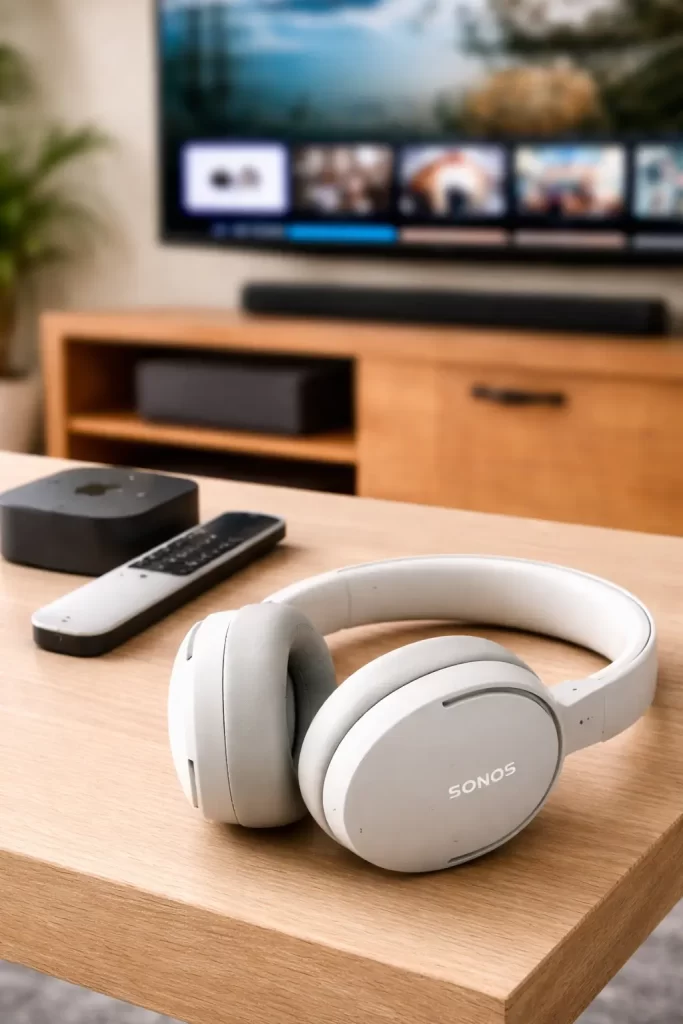
Helping a Senior Connect Sonos Ace Headphones to Apple TV
During a recent in-home tech support visit in Lakewood Ranch Country Club, a client asked for help setting up her new Sonos Ace headphones so she could watch television without disturbing the rest of the house.
She had purchased the headphones expecting the simple “TV Audio Swap” feature Sonos advertises, where the headphones instantly take over the TV audio from the soundbar.
The challenge was that her Sonos soundbar was more than ten years old. Because of that, the newer headphone features were not compatible with her system.
Instead of recommending that she replace perfectly good equipment, we found a simple workaround that allowed everything to work exactly the way she wanted.
The Goal: Watch TV Without Disturbing Others
Her goal was simple. She wanted to watch television late at night using headphones so the sound would not fill the entire house.
This is a common request I hear from seniors in Lakewood Ranch communities. Many people enjoy streaming shows in the evening but prefer to keep the volume low so they do not disturb family members or neighbors.
Modern headphones like the Sonos Ace are perfect for this type of situation, but when newer devices are combined with older equipment, things do not always connect the way people expect.
The Challenge With Older Sonos Soundbars
The Sonos Ace headphones are designed to work seamlessly with newer Sonos soundbars such as the Arc, Beam, and Ray.
With those models, you can press a button on the headphones and instantly swap the TV audio from the soundbar to the headphones.
Unfortunately, older soundbars do not support this feature. In this case, the soundbar was simply too old to communicate with the headphones using Sonos’ built-in audio swap system.
For many seniors, this can be frustrating because they expect new technology to work with the equipment they already have.
The Simple Workaround That Solved the Problem
Instead of replacing the soundbar, we used a much simpler solution.
First, I added the Sonos Ace headphones to the Sonos app on her iPhone. This step registers the headphones in the Sonos system and allows them to receive firmware updates and adjust settings such as noise cancellation and sound controls.
Next, we paired the headphones directly to her Apple TV using Bluetooth.
This allowed the Apple TV to send the audio straight to the headphones, completely bypassing the soundbar.
Once paired, the headphones worked perfectly. She could watch TV privately with clear sound and control the volume directly from the headphones.
Using AI to Help Troubleshoot Compatibility
During the visit, I also used an AI assistant to quickly confirm the compatibility between the Sonos Ace headphones and the older soundbar.
Technology changes frequently, and manufacturers sometimes expand compatibility through software updates. Using AI tools helps verify the latest information before recommending a solution.
After confirming that the soundbar did not support the TV Audio Swap feature, the Bluetooth connection to Apple TV was clearly the best option.
Using tools like AI alongside hands-on experience allows me to solve problems faster and avoid unnecessary equipment upgrades for clients.
Why This Setup Works Well for Seniors
- No need to replace older equipment.
- Private listening for late-night TV.
- Simple Bluetooth pairing with Apple TV.
- Easy volume control directly on the headphones.
Many seniors appreciate solutions that improve their existing technology instead of forcing them to buy new devices.
Common Bluetooth Issues and Quick Fixes
Sometimes Bluetooth headphones can disconnect or fail to reconnect automatically.
If that happens, the easiest fix is usually to remove the headphones from the device’s Bluetooth list and pair them again.
This type of issue is similar to other device communication problems I see regularly, like when printers disconnect from WiFi or stop responding. If you have experienced that, this article explains why it happens: why printers keep disconnecting from WiFi.
Why Real In-Home Tech Help Matters
Every home has a different combination of devices, apps, and older equipment.
Something that should work according to the instructions online often needs a little adjustment in the real world.
If you have ever tried following technical instructions only to find they do not match your device, you are not alone. I explain this in more detail in why remote tech help often fails older adults.
Need Help With Devices at Home?
If you live in Lakewood Ranch, Bradenton, Parrish, or anywhere in Manatee County, I provide patient in-home tech support for seniors.
I help with everyday technology such as smartphones, streaming devices, printers, smart TVs, voice assistants, and home WiFi.
You can learn more about my services here: in-home tech support for seniors.
If you would like to schedule a visit, you can contact me here: Tech Assist For Seniors contact page.