
What I Fix and How I Help Seniors with Their Computers
Technology problems can be stressful, but they don’t have to be. As a senior living in Manatee County, you deserve computer help that is patient, clear, and focused on solutions that make your daily life easier. My goal is to make technology simple, useful, and confidence-building for every client I visit.
Computer Help for Seniors and Older Adults
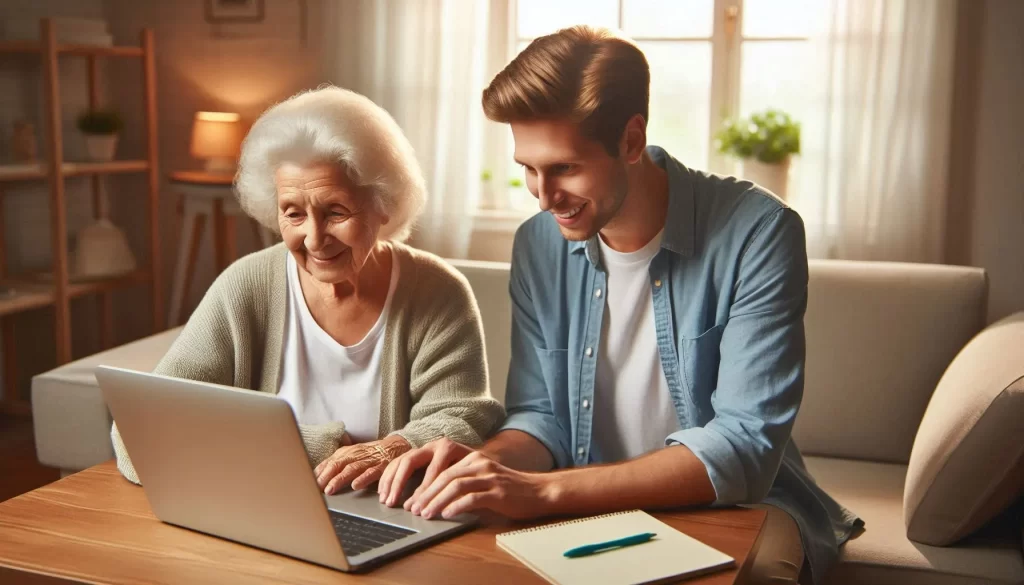
Computer help for seniors is more than fixing broken devices. It is about building comfort, teaching useful skills, and offering dependable support when something goes wrong. I help older adults in Lakewood Ranch, Bradenton, and Parrish turn technology anxiety into confidence through in-home, one-on-one instruction.
Why Senior Computer Help Is Different
Supporting seniors requires more patience and understanding than a quick repair visit. Many older adults face unique challenges, such as technology anxiety, different learning preferences, or the need for clear, repeated explanations. I take time to understand what went wrong, explain why it happened, and show how to prevent the same issue in the future. Every visit combines fixing and teaching so you can stay independent with your technology.
Common Computer Problems I Fix
Here are some of the most common issues I help seniors solve during in-home visits across Manatee County.
Slow Computer Performance
- Identify the cause of slowness such as startup programs or low storage.
- Remove unnecessary programs that slow down performance.
- Organize files and set up simple maintenance routines.
Email Problems and Account Setup
- Recover forgotten passwords and regain access to accounts.
- Organize inboxes and contacts for easier communication.
- Teach safe email habits to avoid phishing or scams.
Internet and Wi-Fi Issues
- Troubleshoot router or network settings to restore connections.
- Improve weak signals for smoother video calls and browsing.
- Show simple steps to try before calling for help.
Virus and Security Concerns
- Remove real security threats and fake warning pop-ups.
- Install antivirus protection and explain how it works.
- Teach safe browsing habits to stay protected online.
Software Installation and Updates
- Install new programs and explain their purpose.
- Run software updates safely and at the right time.
- Show how to recognize legitimate notifications from scams.
Common Technology Challenges for Seniors
Learning technology later in life can feel overwhelming. Professional computer help makes the process comfortable and productive by focusing on real-world tasks instead of technical jargon.
Getting Started with the Basics
- Using a mouse and keyboard with confidence.
- Opening and closing programs correctly.
- Typing, saving, and organizing documents and files.
Staying Connected Through Email and Messaging
- Setting up and managing email accounts.
- Learning video or text messaging apps for family communication.
- Keeping contact lists organized and safe from spam.
Internet Safety and Scam Awareness
Many seniors hesitate to explore the internet due to safety concerns. I teach simple, repeatable habits to browse safely, recognize scams, and avoid unsafe websites. You can also read my Scam Awareness for Seniors guide for more detailed tips.
Managing Devices and Updates
- Running regular updates to stay secure.
- Managing storage and organizing photos or downloads.
- Learning how to restart, shut down, or troubleshoot devices safely.
How Professional Computer Help Makes a Difference
Family members may not always have time or patience to teach new technology. Professional assistance gives you access to ongoing support, patience, and personalized lessons designed around how you learn best.
Patience and Understanding
Every question is important, and lessons move at your pace. The goal is progress without frustration, giving you time to practice and repeat steps as needed.
Age-Appropriate Teaching
- Written step-by-step instructions.
- Familiar analogies that make sense.
- Plenty of practice and review time.
- Focus on practical use, not technical theory.
Ongoing and Reliable Support
Technology issues can appear at any time. I provide follow-up help for returning clients so you always have someone familiar with your setup who can respond quickly.
What to Expect During a Session
Initial Assessment
We begin by reviewing your devices, skills, and goals. From there, I create a plan that fits your comfort level and priorities.
Hands-On Practice
You learn by doing. Together we write emails, organize photos, browse safely, and manage settings. Each step includes simple explanations and written notes for later reference.
Troubleshooting and Problem-Solving Skills
I teach you how to recognize common error messages, fix simple issues, and know when to request professional help. These skills build confidence and independence over time.
Training That Builds Confidence
Computer help for seniors is about creating lasting comfort with technology. My sessions are structured to move at your pace and strengthen key skills in each visit.
Basic Skills Foundation
We start with simple actions like moving a mouse, typing, and file management, then progress to more advanced tools as you grow comfortable.
Practical Everyday Uses
- Video calls with family and friends.
- Managing digital photos and storage.
- Online banking and bill payment.
- Exploring hobbies, games, or online learning.
Becoming More Independent
Confidence comes from practice. The goal is not to memorize every button but to understand what to do when something goes wrong and how to handle daily tasks on your own.
About Tech Assist for Seniors
I specialize in helping older adults across Manatee County learn to use computers, tablets, and smartphones. My approach is built on patience, respect, and years of hands-on experience working directly with seniors in Lakewood Ranch, Bradenton, and Parrish.
Each visit combines education and problem-solving so you gain lasting skills while fixing immediate issues. From slow laptops to confusing apps, I help you stay connected, safe, and confident.
Getting Started
You do not need prior experience to begin. Sessions start at your comfort level and move at your pace. I provide both immediate fixes and ongoing lessons to build lasting confidence with technology.
If you are in Lakewood Ranch, Bradenton, or anywhere in Manatee County, I offer in-home computer help for seniors. Learn more here.