
A Real Tech Visit in Bradenton
Recently, I received a call from a client living at DeSoto Towers in Bradenton who wanted to monitor her apartment with a security camera. Many seniors want a simple way to check on their home for peace of mind, especially when maintenance workers or visitors may enter during the day. Situations like this are common when providing in-home tech support for seniors in Manatee County.
However, this situation had an interesting challenge. My client does not use a modern smartphone. Most security cameras today require a mobile app to install and manage the device, which meant many popular camera systems would not work for her situation.
Why Most Security Cameras Would Not Work
Without a smartphone, the setup process often stops immediately. Even if the camera can technically connect to WiFi, many systems refuse to continue without the companion app. For someone who primarily uses a Windows desktop computer, this creates a frustrating barrier.
Many of the clients I help through computer help for seniors rely on desktops or laptops rather than smartphones. Unfortunately, many modern smart home devices assume everyone uses a phone for setup and daily access.
The technology itself is not the problem. The problem is that many devices are designed with the assumption that every user has a smartphone nearby.
Researching a Camera That Works Without an App
To solve this problem, I started researching cameras that could run locally and be viewed directly from a Windows computer. Instead of relying only on traditional searches, I also used an AI research tool called Grok to compare camera specifications and identify models that do not require a smartphone during setup.
The goal was simple:
- No smartphone required
- Works with a Windows desktop computer
- Can run locally on the home network
- Simple enough for a senior to use
After digging through several options, I found a camera that fit these requirements.
The Camera That Solved the Problem
The camera I selected was the Amcrest Pro HD Series 1080p Pan/Tilt WiFi Indoor Security Camera, model IP2M-8418-V3.
This situation came from a real in-home tech visit with a client living at DeSoto Towers in Bradenton. Many of the seniors I help across Bradenton, Lakewood Ranch, and the surrounding areas use desktop computers instead of smartphones, so finding technology that works without mobile apps is sometimes necessary.
Key features that made it a good fit include:
- Pan and tilt control so the camera can move and view different areas
- 1080p video quality for a clear picture
- Local network viewing from a desktop computer
- No smartphone required for everyday use
Once I confirmed it would work for her situation, I ordered the camera from Amazon so we could install it during the next visit.
Installing the Camera for a Desktop User
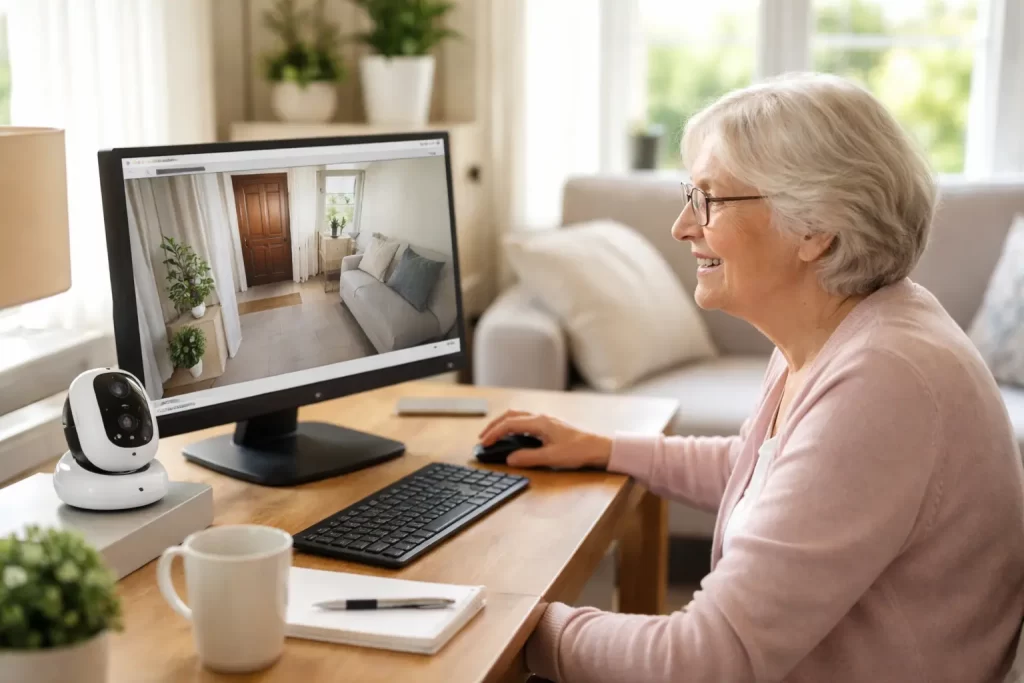
When I returned to install the camera, the goal was to keep everything as simple as possible. The camera was connected to her home WiFi network and configured so she could open the camera feed directly from her Windows desktop.
Instead of relying on a mobile app, she can view the camera through her computer. This keeps the system familiar and easy for her to access whenever she wants to check the room.
For many seniors, this approach makes much more sense than learning a brand-new phone app they may never use again.
Technology Should Adapt to the Person
One thing I see often when helping older adults is that many modern devices assume everyone uses technology the same way. In reality, many seniors are comfortable with computers but do not want to rely on smartphones or complicated apps.
The best solution is not always the newest device. Sometimes it is finding technology that fits the person’s habits and comfort level.
In this case, the right camera allowed my client to monitor her apartment safely without needing to learn an entirely new system.
Need Help Setting Up Home Technology?
If you or a loved one in Manatee County needs help setting up devices like computers, printers, smart TVs, or security cameras, I provide in-home tech support for seniors across Bradenton, Lakewood Ranch, Parrish, and nearby communities.
Every situation is different, and I focus on finding solutions that actually work for the way you use technology. Whether it is troubleshooting a device or installing something new, we can take it step by step until everything feels comfortable and easy to use.