Video Call & Voice Assistant Help for Seniors
Connect with family, explore new interests, and simplify your digital life with our senior-friendly guidance and support
☎ Call NowTech Help For Seniors In Manatee County
Tech Assist For Seniors provides patient, in-home technology help for older adults and caregivers in Manatee County. I visit homes in Lakewood Ranch, Bradenton, Parrish, and nearby communities to make everyday devices easier to use.
If you or a loved one feels overwhelmed by phones, tablets, computers, smart TVs, or online accounts, you are in the right place. My goal is to remove the frustration and replace it with clear steps you can follow at your own pace.
Tech Assist For Seniors is a local, one-person business. You work directly with me, Sean, every time, so you always know who is coming to your home.
Video Calling Setup and Training for Seniors
Staying connected with family and friends should feel comforting, not confusing. I provide one-on-one video calling help for seniors so you can confidently make and receive calls without worrying about buttons, settings, or pop-ups.
I help set up and teach popular video calling options such as FaceTime, Zoom, and Google Meet. Instruction is always adjusted to your comfort level and the device you already own. If needed, I also help with phones and tablets during visits, which you can learn more about on my phone and tablet support page.
During a visit, I can help you:
- Make and receive video calls without stress
- Add and organize contacts so calling is simple
- Adjust volume and camera settings for clear conversations
- Troubleshoot common issues like frozen screens or missed calls
Senior-Friendly Video Calling Device Options
ONSCREEN Television Video Calling
ONSCREEN allows video calls directly on your television without needing a smartphone or tablet. Calls are easy to answer, and family members can connect remotely. This option works well for seniors who prefer a large screen and simple setup. If your TV or streaming device needs adjustment, I can also help with streaming device setup and overall smart home and entertainment setup.
GrandPad Simplified Tablet
GrandPad is a dedicated tablet designed for seniors with large icons, limited menus, and built-in video calling. It removes many of the distractions found on regular tablets and phones. I help with setup, contact management, and learning how to use it comfortably.
ViewClix Digital Communication Hub
ViewClix combines a digital photo frame with secure video calling. Only approved contacts can call or send messages, which provides added peace of mind. I help configure contacts, notifications, and daily use so it feels natural.
Voice Assistant Setup for Seniors
Voice assistants make daily life easier by reducing the need to type, tap, or read small text. I specialize in helping seniors use voice assistants in a simple and practical way.
I set up and teach Amazon Alexa and Google Assistant devices, focusing on everyday tasks that matter most. If you would like more detail about hands-free help, you can visit my Alexa for Seniors guide.
- Medication and appointment reminders
- Making hands-free calls
- Playing music, news, or audiobooks
- Checking weather and daily schedules
- Controlling lights or smart plugs
Help Connecting All Your Devices
Many seniors use more than one device, such as a phone, tablet, TV, or smart speaker. I help make sure everything works together smoothly.
This includes connecting video calling and voice assistants across devices so you do not need to repeat steps or remember multiple logins. If computer access is part of your setup, I can also help during visits covered on my computer and internet help page.
Staying Safe While Using Video Calls and Voice Assistants
Safety is especially important when using communication technology. I take time to explain privacy settings, contact controls, and scam awareness during visits.
If you are concerned about unwanted calls or scams, you may also find my senior scam protection guide helpful.
How In-Home Help Works
I visit you in your home and work at a pace that feels comfortable. There is no rush, no pressure, and no confusing tech language. We focus on what matters most to you and practice until it feels familiar. If you would like a broader overview of what I help with locally, you can also visit my in-home tech support page for Manatee County.
Ready to Make Video Calling and Voice Assistants Easier?
If you or a loved one in Manatee County would like help with video calling or voice assistant setup, I am here to help. Together, we can make technology feel useful instead of frustrating.
You can call to ask questions or schedule a visit when you feel ready.
Common Tech Frustrations Seniors Face
Many seniors and caregivers in Lakewood Ranch, Bradenton, and Parrish tell me the same things. Technology feels confusing, crowded, and hard to trust. Here are a few examples I hear often during visits:
- "I am afraid I will press the wrong button and break something."
- "There are too many passwords and I cannot keep track of them."
- "My phone, tablet, or smart TV keeps changing and I do not know what to do."
- "I get strange pop-ups and calls and I am not sure which ones are scams."
- "I do not want to bother my family every time I need help."
These frustrations often make seniors avoid using technology altogether, even when it could help them stay connected or feel safer at home. That hesitation is understandable, especially when devices change without warning or instructions feel rushed.
If any of this sounds familiar, you are not alone. Many older adults across Manatee County feel this way, and it is completely normal. My role is to slow things down, explain what matters, and help you feel confident again.
How I Can Help You At Home
My visits are calm, patient, and focused on what you want to learn. I do not rush, and you can ask the same question as many times as you like.
- In-home visits across Manatee County: I come to you in Lakewood Ranch, Bradenton, Parrish, and nearby neighborhoods so you do not have to travel or sit in a store.
- Step-by-step help at your pace: We move slowly, repeat steps, and focus only on the tasks that matter to you, not on confusing tech terms.
- Written notes you can follow: Before I leave, I write clear notes so you can follow the steps later without guessing.
- Extra focus on safety and scams: I show you how to spot fake pop-ups, scam calls, and risky messages so you feel more confident and protected.
Each visit is tailored to you. Some clients want help with video calling or voice assistants, while others need support with phones, tablets, or computers. If your visit includes everyday device help, I also provide guidance covered on my in-home tech support page for Manatee County.
At a Glance
- Service Area: Manatee County, including Lakewood Ranch, Bradenton, Parrish, and nearby communities.
- Visit Type: In-home tech help for seniors and caregivers.
- Rate: $40 per hour with a one-hour minimum.
- Ideal For: Seniors, retirees, and caregivers who want patient, simple, step-by-step support.
About Me
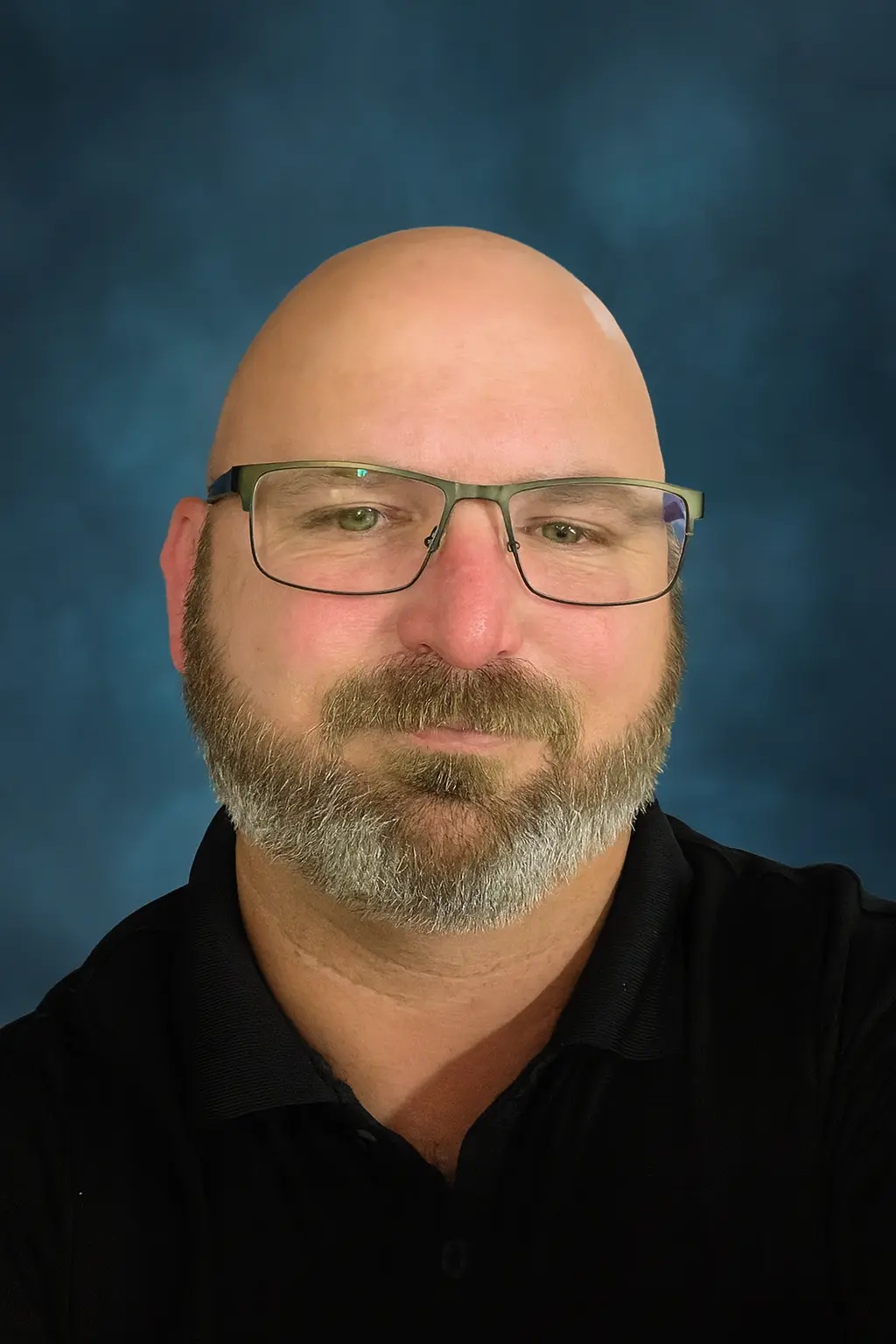
My name is Sean Gagne and I run Tech Assist For Seniors, a small local business serving Manatee County. I help older adults and caregivers in Lakewood Ranch, Bradenton, Parrish, and nearby areas feel more comfortable with everyday technology.I have a background in web design, digital tools, and online safety, and I enjoy turning confusing screens into simple steps. Most of my clients are seniors in independent living communities or at home who want patient, one-on-one guidance.- Local and independent: You work directly with me on every visit.
- Senior-focused: I specialize in helping older adults and caregivers, not general computer repair.
- Patient teaching style: I repeat steps, avoid jargon, and keep instructions clear and easy to follow.
Other Ways I Can Help You With Technology
Every home and situation is different. Along with fixing the main issue that brought you here, I can also help with other common tech needs for seniors and caregivers.
- Smart TV and streaming setup: Make it easy to watch your favorite shows without hunting through menus. Learn more on the smart TV setup guide.
- Phone and tablet support: Adjust text size, organize apps, and make calling and texting simpler. You can also explore my phone and tablet help page.
- Computer basics and email: Get help with email, browsing, and basic file organization at a comfortable pace. Learn more on my computer and internet help page.
- Smart speakers and voice assistants: Set up devices like Alexa for reminders, music, and simple voice commands. You can explore more on the Alexa routines page and the Alexa safety guide.
- Scam and safety review: Check devices for risky pop-ups, review settings, and talk through safer habits online.
- Telehealth and patient portals: Help logging in, viewing appointments, and feeling more confident using health portals.
During each visit, you can choose one main focus or ask for help with several smaller items. We will create a simple plan together based on what matters most to you.
Kind Words From Seniors And Caregivers
"My desktop would not connect to Wi Fi and I could not fix it. Sean came to my home, found the problem, and had it working again very quickly. His rates were fair and he was very friendly."
M. L. Lakewood Ranch
Nextdoor review
"Sean helped me understand my new smartphone and showed me how to video call my grandkids. He was patient, calm, and never made me feel rushed."
Mary L. Bradenton
Senior client
Common Questions About Tech Assist For Seniors
What areas do you serve?
I provide in-home tech help across Manatee County, including Lakewood Ranch, Bradenton, Parrish, and nearby neighborhoods. If you are not sure if your location is included, you can ask on the contact page.
How much does a visit cost?
My rate is $40 per hour with a one-hour minimum. If we go past the first hour, time is billed at the same hourly rate.
Do you work with seniors in independent or assisted living?
Yes. I regularly visit seniors in independent living, assisted living, and memory care communities across Manatee County. If you are arranging help for a parent, you may also find my guide on how to arrange tech support for elderly parents helpful.
Can you help my parent if I am not at the visit?
Yes. Many adult children live out of town or work during the day. We can talk before and after the visit so you know exactly what we worked on.
What kinds of devices can you help with?
I help with smartphones, tablets, laptops, desktop computers, smart TVs, streaming devices, Wi-Fi, and smart speakers. For more details, you can read my page on computer and internet help for seniors.
Can you help protect seniors from scams and pop-ups?
Yes. Scam prevention is a big part of my work. You can learn more from my guide on scam awareness for aging adults.
How should we prepare for a tech visit?
It helps to gather your devices, chargers, passwords, and any notes in one place. You can also review my simple guide on how to prepare for an in-home tech visit.
Ready to Make Your Devices Easier to Use?
If you or a loved one in Manatee County, Lakewood Ranch, Bradenton, or Parrish needs patient, in-home tech help, I am here to support you. We can take things one step at a time until your devices feel easier, safer, and less stressful to use.
You can call to talk through your needs or schedule a visit when you feel ready. I am happy to answer questions so you feel comfortable before we begin.