
One-on-One Tech Lessons for Seniors
Connect with family, explore new interests, and simplify your digital life with our senior-friendly guidance and support In Lakewood Ranch, FL
(941) 201-9450 Send MessageLocal Tech Lessons For Seniors In LWR
Tech Assist For Seniors offers patient, one-on-one tech lessons for older adults and caregivers in Lakewood Ranch. I come to your home so you can get help in a familiar and comfortable space.
If you or a loved one feels stressed by phones, tablets, computers, smart TVs, or online accounts, these lessons can help. I break tasks into clear steps you can follow at a comfortable pace.
Tech Assist For Seniors is a local, one-person service. You work with me, Sean, during every visit, so you always know who is helping you.
Why Tech Lessons Matter For Seniors
One-on-one tech lessons can make everyday life feel easier and less stressful. When you understand your phone, tablet, or computer, it becomes a helpful tool instead of a source of worry.
These lessons are not about learning every new feature. They are about the small wins that matter most to you, like seeing family photos, joining a video call, or reading the news without trouble.
- Stay connected: Use video calls, email, and text messages to keep in touch with family and friends.
- Feel more independent: Handle simple tasks on your own, such as checking bills, viewing appointments, or shopping online.
- Feel safer online: Learn how to spot scams, pop-ups, and fake messages so you can use your devices with more confidence.
- Enjoy your devices: Listen to music, watch shows, and explore hobbies in a way that feels comfortable and fun.
With patient tech lessons in Lakewood Ranch and nearby communities, you can build skills step by step and feel more in control of your digital life.
Common Tech Challenges Seniors Face
Many seniors and caregivers tell me the same thing. Technology feels crowded, confusing, and hard to trust. These are some of the concerns I hear during lessons:
- "I am afraid I will press the wrong button and break something."
- "There are too many passwords and I cannot keep track of them."
- "I do not want to bother my family every time I need help."
If any of these feel familiar, you are not alone. Many older adults across Manatee County share the same concerns, and it is completely normal.
How One-On-One Tech Lessons Help You
My visits are calm, patient, and focused on what you want to learn. I do not rush, and you can ask the same question as many times as you need.
- In-home visits in Lakewood Ranch: I come to your home in Lakewood Ranch, so you do not have to travel or sit in a store.
- Step-by-step help at your pace: We move slowly, repeat steps, and focus only on the tasks that matter to you, not on confusing tech terms.
- Written notes you can follow: Before I leave, I write clear notes so you can follow the steps later without guessing.
- Extra focus on safety and scams: I show you how to spot fake pop-ups, scam calls, and risky messages so you feel more confident and protected.
Each visit is tailored to you. Some clients want help with streaming and smart TVs, while others need email, passwords, or video calls to stay in touch with family.
Tech Lessons At a Glance
- Service Area: Manatee County, including Lakewood Ranch, Bradenton, Parrish, and nearby communities.
- Visit Type: In-home tech lessons for seniors and caregivers.
- Rate: $40 per hour with a one-hour minimum.
- Ideal For: Seniors, retirees, and caregivers who want patient, simple, step-by-step support.
About Me
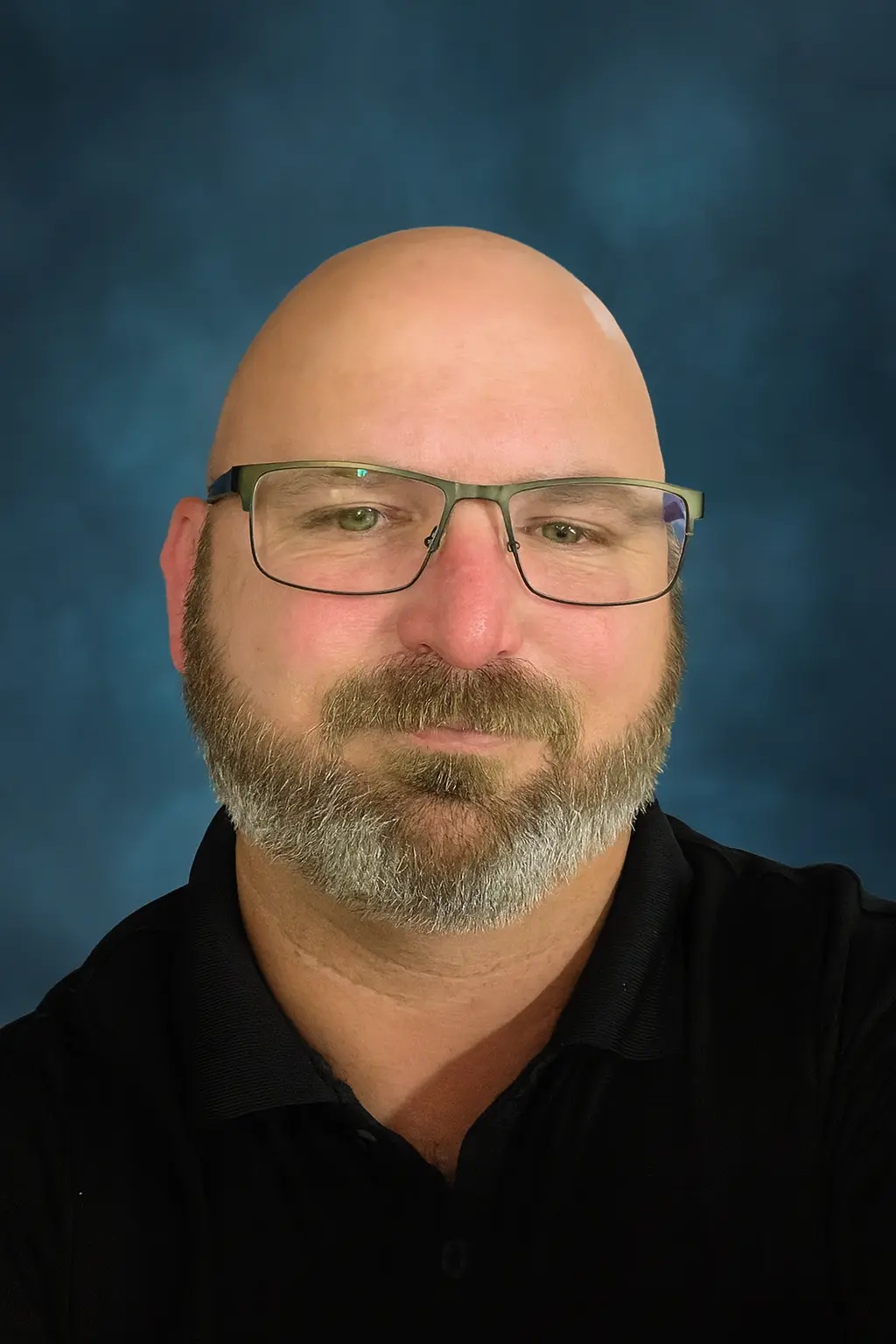
My name is Sean Gagne, and I run Tech Assist For Seniors. I help older adults and caregivers feel more comfortable using everyday technology through calm, one-on-one support.
I have a background in web design, user experience, coding, app development, and artificial intelligence. I enjoy turning confusing screens and settings into simple, repeatable steps that actually make sense.
You work directly with me every visit, and I specialize in patient help for older adults and caregivers. I repeat steps, slow things down, and explain things clearly.
My goal is to help you feel calmer and more confident using your devices, not overwhelmed or judged.
Other Tech Lessons That Can Help You
Every home and situation is different. Along with the main issue that brought you here, I can also help with other common tech needs for seniors and caregivers.
Smart TV and Streaming Lessons
- Smart TV and streaming setup: Make it easy to watch your favorite shows without hunting through menus. Learn more on the smart TV setup guide.
Phone and Tablet Tech Lessons
- Phone and tablet support: Adjust text size, organize apps, and make calling and texting simpler.
Computer Lessons for Seniors
- Computer basics and email: Help with email, browsing, and simple file organization at a comfortable pace.
Help With Voice Assistants
- Smart speakers and voice assistants: Set up devices like Alexa for reminders, music, and simple voice commands. You can explore more on the Alexa routines page and the Alexa safety guide.
Online Safety Lessons
- Scam and safety review: Check devices for risky pop-ups, review settings, and learn safe habits online.
Telehealth and Health Portal Help
- Telehealth and patient portals: Help you log in, view appointments, and feel more confident using health portals.
During each visit, you can choose one main focus or ask for help with several small items. We will create a simple plan together.
What Neighbors Have To Say
"My desktop would not connect to Wi-Fi and I could not fix it. Sean came to my home, found the problem, and had it working again very quickly. His rate was fair and he was very friendly."
Nextdoor review
"Sean helped me understand my new smartphone and showed me how to video call my grandkids. He was patient, calm, and never made me feel rushed."
Senior client
"My mother lives in an independent living community and Sean has been a huge help. He fixes small tech issues and explains things in a way she can remember."
Caregiver
"I was worried about online scams and strange emails. Sean cleaned up my laptop and showed me what to watch for, so I feel safer using the internet now."
Senior client
FAQs: Tech Lessons For Seniors
What areas do you serve?
I provide in-home tech lessons based in Lakewood Ranch, FL, and also serve nearby parts of Manatee County. If you are not sure if your location is included, you can ask on the contact page.
How much does a visit cost?
My rate is $40 per hour with a one-hour minimum. If we go past the first hour, time is billed at the same hourly rate.
Do you work with seniors in independent or assisted living?
Yes. I regularly visit seniors in independent living, assisted living, and memory care communities in and around Lakewood Ranch. If you are arranging help for a parent, you may also find my guide on how to arrange tech support for elderly parents helpful.
Can you help my parent if I am not at the visit?
Yes. Many adult children live out of town or work during the day. We can talk before and after the visit so you know exactly what we worked on.
What kinds of devices can you help with?
I help with smartphones, tablets, laptops, desktop computers, smart TVs, streaming devices, Wi-Fi, and smart speakers. For more details, you can read my page on computer and internet help for seniors.
Can you help protect seniors from scams and pop-ups?
Yes. Scam prevention is a big part of my work. You can learn more from my guide on scam awareness for aging adults.
How should we prepare for a tech visit?
It helps to gather your devices, chargers, passwords, and any notes in one place. You can also review my simple guide on how to prepare for an in-home tech visit.
Ready For Tech Lessons In Lakewood Ranch?
If you or a loved one needs patient, in-home tech help, I am here to support you. We can take things one step at a time until your devices feel easier, safer, and less stressful to use.
You can call to talk through your needs or schedule a visit when you feel ready. I am happy to answer questions so you feel comfortable before we begin.
Call Now