
Technology Support for Isolated Seniors in Sarasota County
Feeling isolated is common for older adults, especially when driving becomes harder, friends move away, or health appointments take up more time. In Sarasota County, I often see another layer added on top of that isolation: technology that feels confusing, stressful, or risky.
When a phone or computer feels hard to use, many seniors stop trying. They text less, miss emails, avoid video calls, and hesitate to use telehealth. Over time, that can make someone feel even more disconnected.
I provide calm, in-home tech support for seniors in Sarasota County, focused on making everyday technology feel simple and safe again. You can learn more about my local service here: in-home tech support for seniors in Sarasota County.
Why Isolation and Technology Often Connect
Technology is supposed to help people stay connected, but it can do the opposite when it becomes frustrating. If a senior is worried about pressing the wrong button, getting locked out, or clicking something unsafe, they may choose to do nothing at all.
That is not laziness. It is usually fear, stress, and a lack of confidence. The good news is that most of the time, seniors do not need advanced training. They need a few clear skills, practiced in a calm way, on the devices they already own.
How Technology Can Reduce Isolation
When technology is set up the right way, it can make daily life feel more connected and less stressful. Here are a few practical examples that help seniors in Sarasota County feel more supported.
Video Calling Family Without Frustration
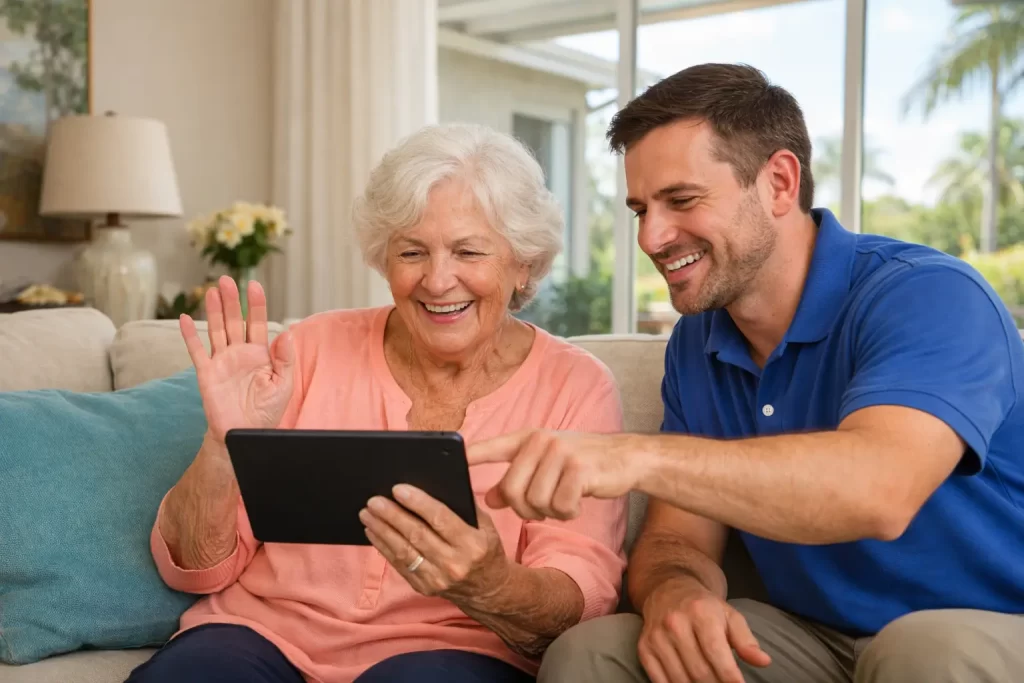
Video calling is one of the fastest ways to reduce isolation, but it can be stressful if the camera does not work, the volume is too low, or the buttons are hard to find. I often simplify the setup so it becomes a repeatable routine.
- One tap to answer: Make it easy to join a call without hunting through apps.
- Better sound and lighting: Adjust settings so conversations feel clear and comfortable.
- Practice the same steps: Repetition builds confidence quickly.
If you are comparing devices or want something easier for a parent, my guide to best video calling devices for seniors can help you choose a good fit.
Email Confidence for Staying in Touch
Email is still one of the most useful tools for seniors because it supports family updates, medical messages, appointment confirmations, and community newsletters. The problem is that many seniors feel overwhelmed by inbox clutter, spam, and confusing prompts.
I teach email in a simple way that focuses on real-life needs, not technical terms. If you want the step-by-step basics, visit my Email for Seniors Guide.
- Simple inbox routine: Read, respond, delete, and stop worrying about the rest.
- Safer habits: Learn what to ignore and what to report as spam.
- Less password stress: Set up a method that is realistic for everyday life.
Telehealth Comfort for Appointments
Telehealth can be a big help when someone has frequent appointments or prefers staying home. But for many seniors, telehealth feels intimidating because it depends on logins, email links, audio settings, and camera permissions.
In-home practice makes this easier. We set it up once, run through a practice call, and write down the steps in plain language. That way, the next appointment feels familiar instead of stressful.
How Online Safety Reduces Anxiety
Many seniors feel anxious about technology because they do not trust what they see on the screen. Pop-ups, fake alerts, and suspicious messages make it feel like the internet is always trying to trick them. When someone feels unsure, they often stop using the device. That can lead to more isolation, because the tools that connect them now feel unsafe.
A simple safety review can lower that anxiety fast. I explain what common scams look like, how to spot fake messages, and what to do when something feels off. If you want a helpful overview, see my scam prevention guide for seniors.
- What to ignore: Many alerts look scary but are harmless.
- What to never share: Passwords, codes, and personal details should not be given out.
- What to do next: Close it, ask for help, and do not panic.
When Tech Frustration Makes Isolation Worse
Caregivers often notice a pattern. A parent stops answering messages. They miss a call. They say they are not sure how to use the phone anymore. Sometimes it is not that they cannot learn. It is that they had one bad experience, got embarrassed, and started avoiding the device.
That is why the tone of tech support matters. Seniors do better with calm repetition, clear explanations, and a patient pace. They should never feel rushed or judged.
What My In-Home Visits Look Like
I run Tech Assist For Seniors as a one-person, local business. When you schedule with me, you work directly with me during the visit. My goal is not to impress anyone with tech knowledge. My goal is to make your devices feel easier to use.
- Calm, one-on-one learning: No pressure and no group classes.
- Familiar environment: Learning at home usually lowers anxiety.
- Real-life tasks: We focus on what you actually need each day.
- Simple notes: I leave easy steps you can follow later.
Tips for Caregivers and Adult Children
If you are helping a parent in Sarasota County, the biggest win is removing stress. Seniors learn best when the goal is small and clear. Here are a few caregiver-friendly ways to help.
- Pick one goal: For example, answer a video call or send one email.
- Reduce choices: Too many apps and notifications create confusion.
- Use repetition: The same steps, the same way, builds confidence.
- Plan for safety: Teach what to ignore so fear does not take over.
Schedule In-Home Tech Support in Sarasota County
If you are a caregiver looking for support, or if you are a senior who feels disconnected, I can help make technology feel comfortable again. We will focus on the exact skills that keep you connected, like email, video calling, telehealth, and safer daily use.
Learn more about my local service here: in-home tech support for seniors in Sarasota County. If you are ready to talk through your needs, you can reach me through my contact page.
This article is educational and is not medical advice. If you are concerned about a senior’s mental health, contact a licensed medical professional for guidance.