
Smart Home Setup Help for Seniors
(941) 201-9450 Send MessageSmart Home Help For Seniors
Tech Assist For Seniors provides patient, in-home smart home and entertainment help for older adults and caregivers in Sarasota County and Manatee County. I visit homes in Lakewood Ranch, Bradenton, Parrish, and nearby communities to make devices like smart speakers, streaming boxes, and smart TVs easier to use.
If you or a loved one feels stressed by smart home settings, confusing remotes, or too many apps, you are in the right place. My goal is to remove the frustration and replace it with simple steps you can follow at a comfortable pace.
Tech Assist For Seniors is a local, one-person business. You work directly with me, Sean, at every visit, so you always know who is coming to your home and who is helping with your technology.
Common Smart Home Frustrations Seniors Face
Many seniors share the same concerns when it comes to smart home devices, streaming boxes, and modern remotes. These tools are helpful, but the menus and settings can feel overwhelming.
- "There are too many remotes and I do not know which one to use."
- "My smart light or plug works one day and not the next."
- "I hear alerts from my doorbell camera but I do not know how to check them."
If any of these sound familiar, you are not alone. Many older adults feel this way, and it is completely normal.
How I Can Help You At Home
My visits are calm, patient, and focused on what you want to learn. I move at your pace, explain things clearly, and make sure everything feels simple before I leave.
- In-home visits for seniors: I come directly to your home, so you do not have to unplug devices or bring equipment anywhere.
- Step-by-step guidance: We take our time, repeat steps as needed, and keep the focus on everyday tasks like using voice commands, opening apps, or checking camera alerts.
- Clear written notes: Before I leave, I write easy instructions you can follow later, with no confusing tech language.
- Safety and confidence: I help organize remotes, simplify menus, adjust settings, and make sure smart home devices are safe and easy to control.
Every visit is personalized. Some clients want help with smart lights and voice assistants, while others need support with streaming apps, TV audio, or home security devices.
What This Service Is Not
I am not an electrician, a licensed alarm company, or a whole-home automation installer. I do not run new wiring, do panel or breaker work, or set up a monitored security system tied to a contract.
What I do is help you get the devices you already own, or plan to buy off the shelf, working the way you actually want. Smart plugs, video doorbells, streaming boxes, and voice assistants are all designed to be self-installed, but the settings and apps are not always made with seniors in mind. That gap, getting a consumer device set up correctly and taught in a way that makes sense, is what each visit focuses on.
If you need new wiring run or a hardwired security system installed, a licensed electrician or alarm company is the right call. If you want patient, one-on-one help making the smart home devices you have actually easy to use, that is what this service is built for.
Simple Smart Home Help for Seniors
Smart home devices do not have to be confusing or high tech. I help seniors and caregivers set up simple tools that make daily life easier, safer, and more comfortable, including safety features like motion lighting, video doorbells and security cameras, voice assistants like Alexa, smart lights and plugs, and streaming or home theater setup.
During an in-home visit, we can review your home, talk about what you want help with, and choose devices that fit your comfort level. If you would like to explore ideas first, you can read my guide on senior-friendly smart home setup or learn how to automate daily tasks with smart home tools.
I focus on clear explanations, written notes, and step-by-step practice so you feel confident using the technology after I leave.
Smart Home Safety Tools
Smart home safety tools can support aging in place by reducing fall risks and giving families extra peace of mind. I set up devices that help you move safely around your home and stay connected to trusted contacts. You can also learn about simple accessibility ideas in my article on smart home accessibility for aging adults.
Motion and Night Lighting
I can install motion-activated lights and smart night lights that turn on when you walk by. These small changes help you avoid walking through dark hallways, bathrooms, or entryways.
Fall-Friendly Home Automation
Smart plugs, timers, and simple voice controls can reduce the need to bend, reach, or fumble for switches. Together, we can set up easy routines for lamps, fans, and other devices you use every day.
Caregiver Alerts and Notifications
If you would like extra support, we can set up notifications for caregivers. These alerts can let a family member know when a door opens or a motion sensor detects activity. For example, my guide on how smart doorbells improve safety for seniors explains how doorbell cameras and alerts can help families stay informed.
Smart Security Devices Made Easy
Smart security devices can help you see who is at the door, watch activity around your home, and feel more secure without complicated systems. I help you choose and set up tools that match your comfort level.
Doorbell Cameras and Alerts
I can set up smart doorbell cameras so you can see visitors on your phone, tablet, or smart display. We will practice how to answer alerts and review how to mute or adjust notifications. If you use Ring, my smart doorbell safety guide is a helpful starting point.
Security Cameras and Activity Zones
For added peace of mind, we can set up simple security cameras with clear views of entry points. I also help adjust activity zones and notification settings so you only receive alerts that matter.
Easy-to-Use Security Apps
Security apps can be confusing on small screens. I walk you through each part of the app, show you how to review events, and leave written notes so you can refer back to the steps later.
Voice Control Setup for Seniors
Voice assistants like Alexa and Google Home let you control lights, plugs, music, and more just by speaking. I handle the setup and show you how to use clear, simple phrases that fit your daily routine. If you are curious about what voice assistants can do, you can read my comparison of Echo vs Google Home for seniors.
Easy Voice Commands
During your visit, we will practice simple voice commands together. You can learn how to turn lights on and off, adjust volume, ask for the weather, set alarms, and play music using short phrases that are easy to remember. My guide on 10 Alexa commands every senior should know is a good overview.
Personalized Daily Routines
I can create routines that match your day. For example, a morning routine can turn on a light, share the weather, and play the news. An evening routine can lower lights and play relaxing music. You can also explore simple routine ideas in my article on easy Alexa routines for seniors.
Smart Lights and Plugs
Smart lights and plugs are a simple way to start with smart home technology. I set them up so you can enjoy safer lighting and easier control without learning a lot of new steps. For a deeper look at options, you can visit my page on smart plugs and lights for seniors.
Safer Lighting Around the Home
We can set up smart bulbs and lamps in key areas such as hallways, bathrooms, and bedrooms. You will be able to turn them on using a switch, an app, or your voice, depending on what feels easiest for you.
Energy Savings Made Simple
If you want to save energy, we can use schedules and timers so lights and small appliances turn off on their own. Once everything is set, you do not have to remember to press extra buttons.
Streaming and Entertainment Setup
Streaming devices like Roku, Fire TV, Apple TV, and smart TVs give you access to many shows and movies, but the menus can feel confusing. I help you set everything up so it is simple and enjoyable to use. If you have a DVR like a TiVo Roamio that needs to be connected to your network first, I can help with that too. You can read my step-by-step TiVo Roamio setup guide for an idea of what that process looks like.
You can also review my streaming device setup guide if you want to explore options ahead of time.
App Setup and Easy Access
I can install streaming apps, sign you in, and place your favorite services in an easy-to-find spot. We will go over how to open apps like Netflix or YouTube and how to get back to the home screen if you feel lost. For more Netflix-specific help, you can read my guides on Netflix setup for seniors and how to find movies and shows on Netflix.
🔧 Fixing Common Streaming Problems
If you already have a streaming device but it does not work the way you expect, I can help troubleshoot. Common issues include no sound, missing channels, sign-in problems, or the TV disconnecting from Wi-Fi.
If you have an older DVR connected to your setup, like a TiVo Roamio, those can sometimes cause confusion when something stops working. I have put together a plain-language guide on common TiVo Roamio issues and how to fix them if that is helpful to review before a visit.
Home Theater and TV Remote Control
Multiple remotes, soundbars, and complex menus can make watching TV frustrating. I simplify your setup so you can sit down, press a few buttons, and enjoy your shows.
Universal Remote Setup
I can set up a universal remote so you use one main remote instead of several. We will label buttons clearly and practice how to turn the TV on, change inputs, and adjust the volume.
Soundbar and Speaker Support
If your soundbar is not working correctly, I can check the cables, settings, and inputs to fix common issues. For clients who listen to music or radio through Alexa, I also help with skills and settings covered in my guide on listening to music and news with Alexa.
Smart Home Help At A Glance: Sarasota & Manatee County
- Service Area: Sarasota County and Manatee County, including Lakewood Ranch, Bradenton, Parrish, and nearby communities.
- Visit Type: Smart home, streaming, and general tech help for seniors and caregivers.
- Rate: $40 per hour with a one-hour minimum.
- Ideal For: Seniors and caregivers who want patient, step-by-step support.
About Me
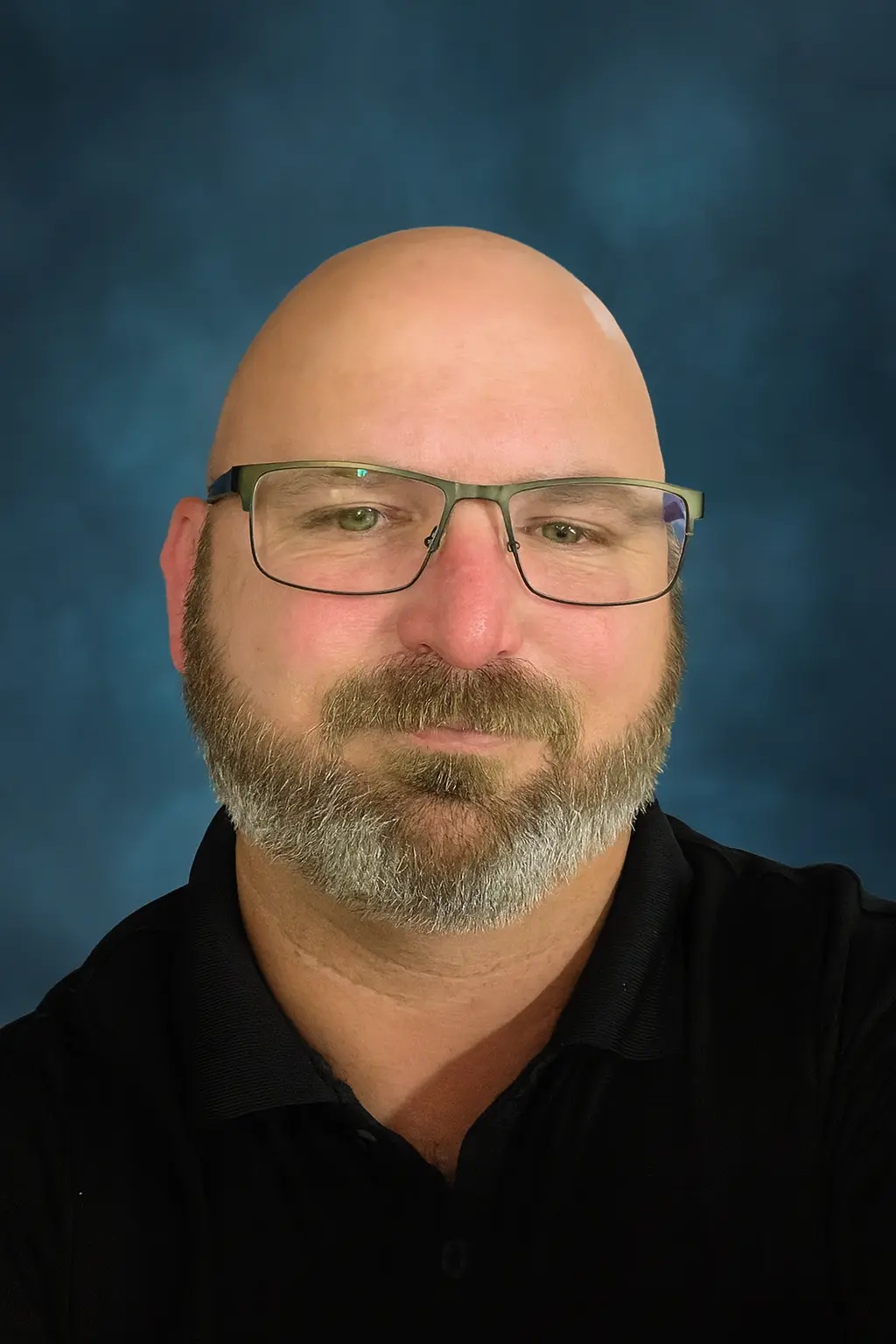
My name is Sean Gagne, and I run Tech Assist For Seniors. I help older adults and caregivers feel more comfortable using everyday technology through calm, one-on-one support.
I have a background in web design, user experience, coding, app development, and artificial intelligence. I enjoy turning confusing screens and settings into simple, repeatable steps that actually make sense.
You work directly with me every visit, and I specialize in patient help for older adults and caregivers. I repeat steps, slow things down, and explain things clearly.
My goal is to help you feel calmer and more confident using your devices, not overwhelmed or judged.
Other Ways I Can Help You With Technology
Every home is different, and many seniors need help with more than one device. Along with smart home and entertainment setup, I can support other common tech needs during your visit.
- Smart TV and streaming setup: Make it easy to watch your favorite shows without searching through confusing menus. Learn more in the smart TV setup guide.
- Phone and tablet support: Adjust text size, organize apps, and make calling, texting, and browsing simpler.
- Computer basics and email: Help with email, safe browsing, and basic file organization at a comfortable pace.
- Voice assistants like Alexa: Set up reminders, music, timers, and simple voice commands. Explore more on the Alexa routines page or the Alexa safety guide.
- Scam and safety review: Check for risky pop-ups, secure settings, and review safe online habits.
- Telehealth and patient portals: Help with logging in, viewing appointments, and using basic health portal features.
During each visit, you can choose one main focus or ask for help with a few small items. We will create a simple plan together.
What Neighbors Have To Say
"My desktop would not connect to Wi Fi and I could not fix it. Sean came to my home, found the problem, and had it working again very quickly. His rates were fair and he was very friendly."
Nextdoor review
Smart speakers, streaming boxes, and video doorbells have become common in homes across Sarasota and Manatee County, but the setup and settings are not always made with seniors in mind. Getting things working the way you actually want, without wading through menus, is where most of my visits start.
Smart home tools can play a real part in aging in place safely, from motion-activated lighting in a hallway to a doorbell camera that lets you see who is outside without getting up. Setting these up correctly the first time makes them something you actually rely on, not something that sits unused.
One-on-one, in-home setup means the devices get configured around how you actually live, not a generic default. Every visit is with the same person, so there is no relearning a new technician's approach each time something needs adjusting.
FAQ About Tech Assist For Seniors
What areas do you serve?
I provide in-home tech help across Sarasota County and Manatee County, including Lakewood Ranch, Bradenton, Parrish, and nearby neighborhoods. If you are not sure if your location is included, you can reach out on the contact page.
How much does a visit cost?
My rate is $40 per hour with a one-hour minimum. Additional time is billed at the same hourly rate.
Do you work with seniors in independent or assisted living?
Yes. I visit seniors in independent living, assisted living, and memory care communities. If you are arranging help for a parent, you may find my guide on how to arrange tech support for elderly parents helpful.
Can you help my parent if I am not at the visit?
Yes. Many adult children live out of town or have busy schedules. We can talk before and after the visit so you know exactly what we worked on.
What kinds of devices can you help with?
I help with smartphones, tablets, laptops, smart TVs, streaming devices, Wi-Fi, smart home tools, and voice assistants. For more details, you can read my page on computer and internet help for seniors.
Can you help protect seniors from scams and pop-ups?
Yes. Scam prevention is an important part of my work. You can learn more from my guide on scam awareness for aging adults.
How should we prepare for a tech visit?
It helps to gather your devices, chargers, passwords, and any notes in one place. You can also review my guide on how to prepare for an in-home tech visit.
Ready to Make Your Devices Easier to Use?
If you or a loved one wants patient, in-home help with smart home devices, streaming apps, or everyday technology, I am here to support you. We can take things step by step until everything feels simple and comfortable to use.
You can call with questions or schedule a visit when you are ready. I am always happy to explain how the process works so you feel confident before we begin.
Call Now